Setup Auto Deploy
Automatically redeploy your service on every git push using a GitLab webhook.
Auto Deploy triggers a redeployment on Dokploy every time you push code to GitLab — no manual deploys needed.
How it works: git push → GitLab detects push → fires webhook → Dokploy automatically redeploys your service.
Steps
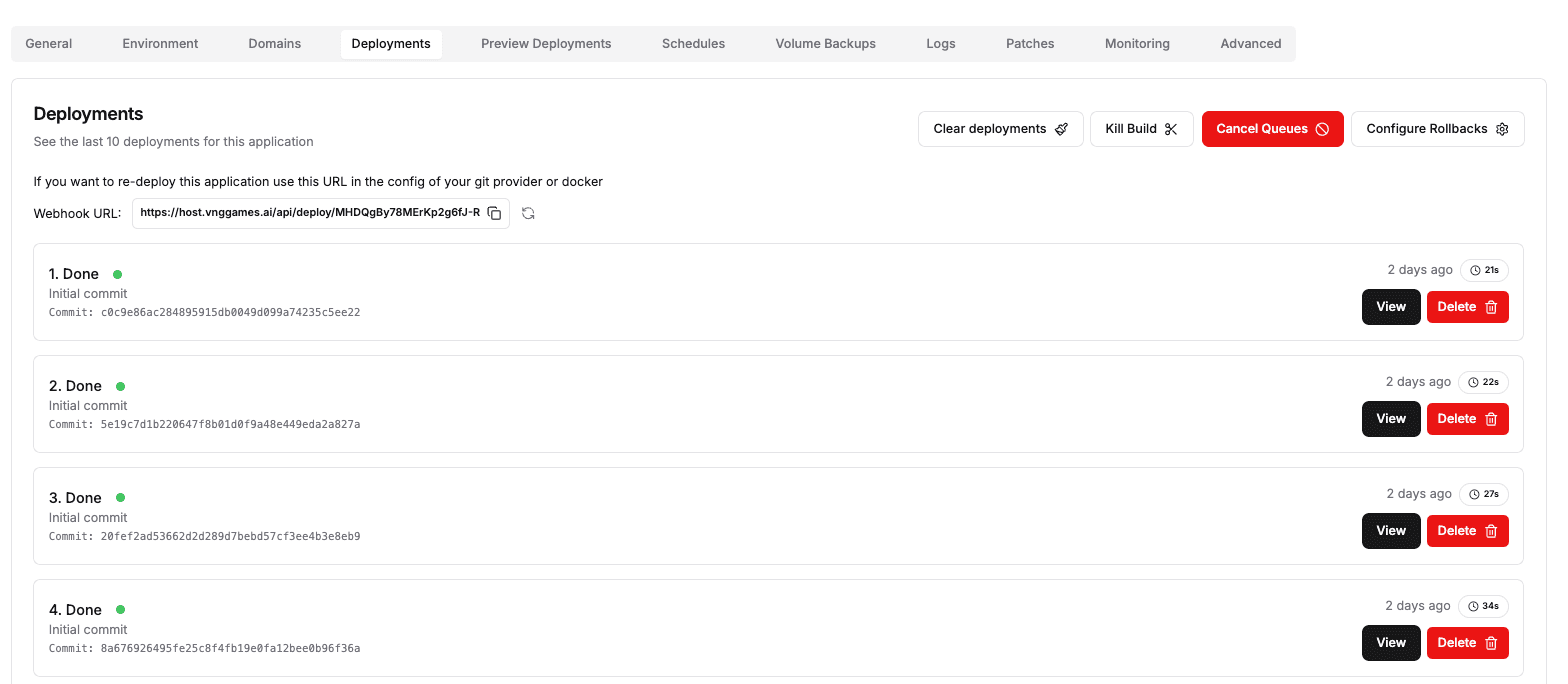
Step 1 — Copy the Webhook URL from Dokploy
In your Application/Service on host.vnggames.ai, go to the Deployments tab and copy the Webhook URL.
Step 2 — Add the Webhook in GitLab
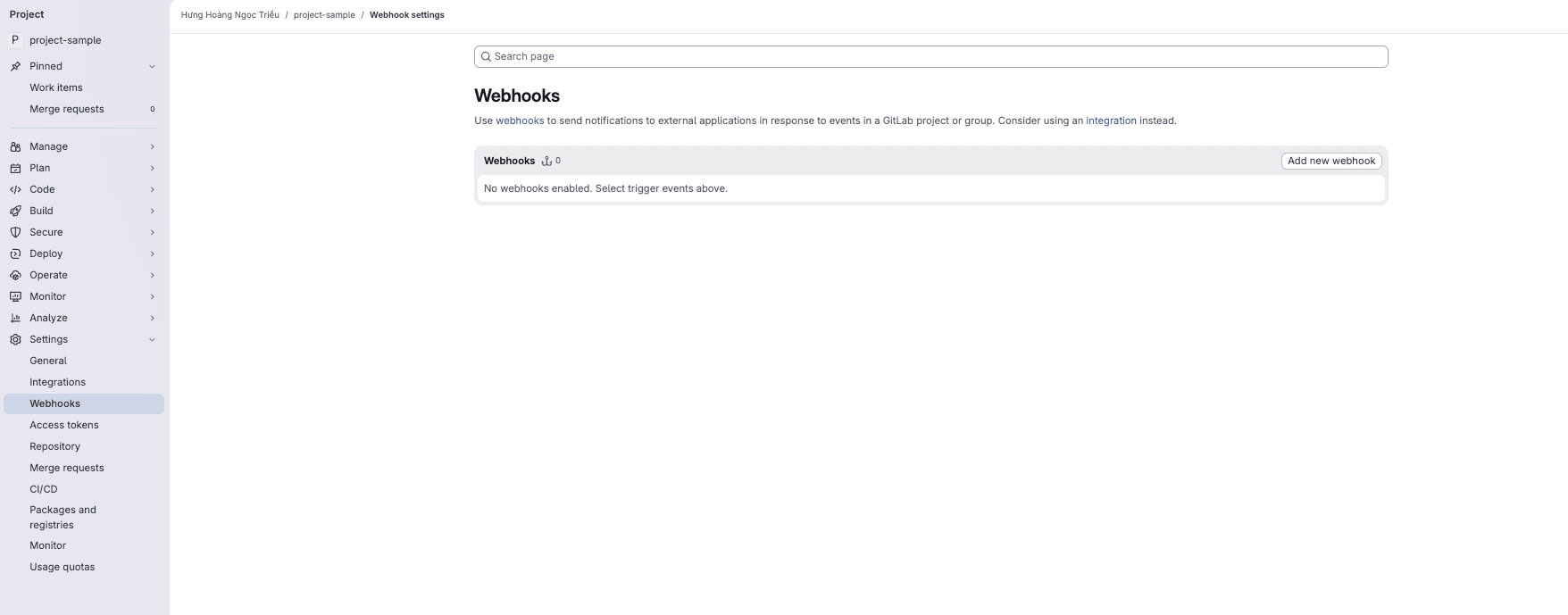
Go to your GitLab project on code.vnggames.ai, navigate to Settings → Webhooks, then click Add new webhook.
In your project sidebar, go to Settings → Webhooks. Click Add new webhook to open the configuration form.
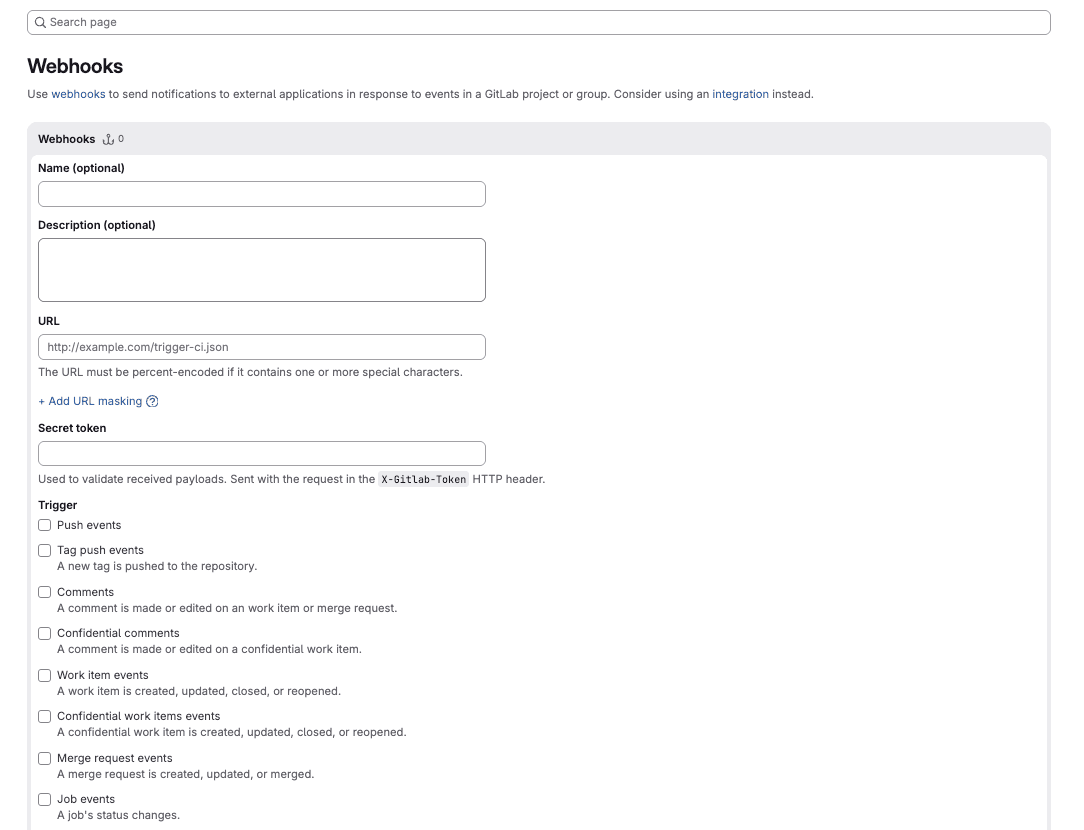
Fill in the form:
| Field | Value |
|---|---|
| URL | Paste the Webhook URL copied from Dokploy |
| Trigger | ✅ Push events |
| Branch filter | Leave blank for all branches, or specify (e.g., main) |
| SSL verification | Enable if your Dokploy instance uses HTTPS |
Step 3 — Save the Webhook
Click Add webhook to save. GitLab will send a test ping to confirm the connection.
Step 4 — Verify
Make a small commit and push to the configured branch. A new deployment should appear automatically in Dokploy's Deployments tab within seconds.
If a deployment doesn't trigger, check that the Webhook URL is correct and the service is in a running state on Dokploy.